Maps++ — The official osMW companion for Myth War Online
Quality-of-life enhancements for Myth War Online — map POIs, hotkeys, window layouts, character vendor, and more — built for osMW.
Maps++ is the official osMW companion for Myth War Online. It is free, Windows only, and permitted on this server.
Features
Map POIs
Pin, search, and share points of interest outside the cramped in-game map — then show or hide layers when you need them.
- Add POIs at your position or by coordinates
- Searchable list by name or type (NPC, shop, landmark…)
- Show/hide layers per map
- Export and import POI packs to share with friends
Better Hotkeys
Bind class skills and core actions per character — I through IV ranks, filterable skill lists, save once and keep fighting.
- Per-character skill bindings
- Class skill grid with rank buttons
- Core shortcuts: minimap, launch clients, settings
- Unbind and reset without digging through configs
Window Layouts
Capture multi-client arrangements, snap slots to the display, and re-apply your stack when you sit down to play.
- Saved layouts with named slots
- Capture, add slots, and snap to guides
- Bind slots to characters
- Apply focus after layout restore
Character Vendor
Price and manage your shop from a clean grid — quick-fill magnitudes, presets, and apply when the vendor is closed.
- Mirror of your shop inventory grid
- Quick-fill prices (100k, 500k, 1m…)
- Save and load vendor presets
- Colour-coded price magnitude legend
Party & overlays
See your party without squinting at the classic HUD.
- Party Health HUD
- Party markers
- Enhanced minimap toggle
Launcher & roster
Bring up every client the way you like it.
- Launch clients on primary or secondary monitor
- Discord integration
- Addons and quick actions
Screenshots
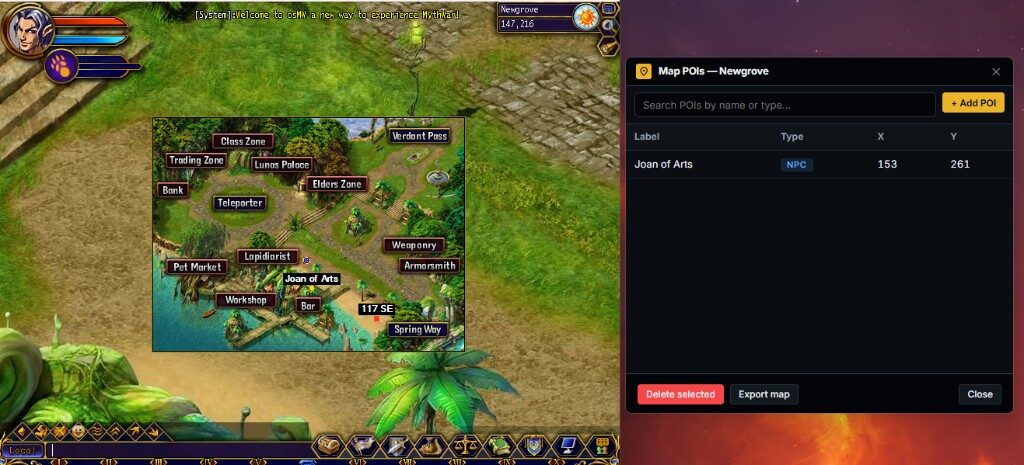
Map POIs — Show Points of Interest on the in-game map 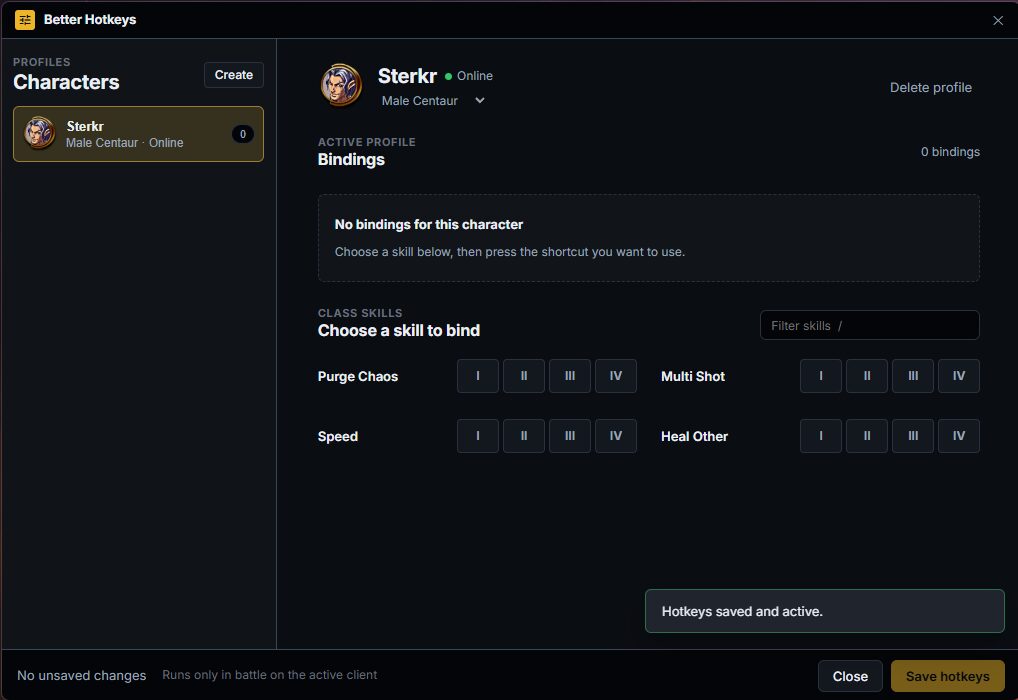
Better Hotkeys — Per-character skill bindings 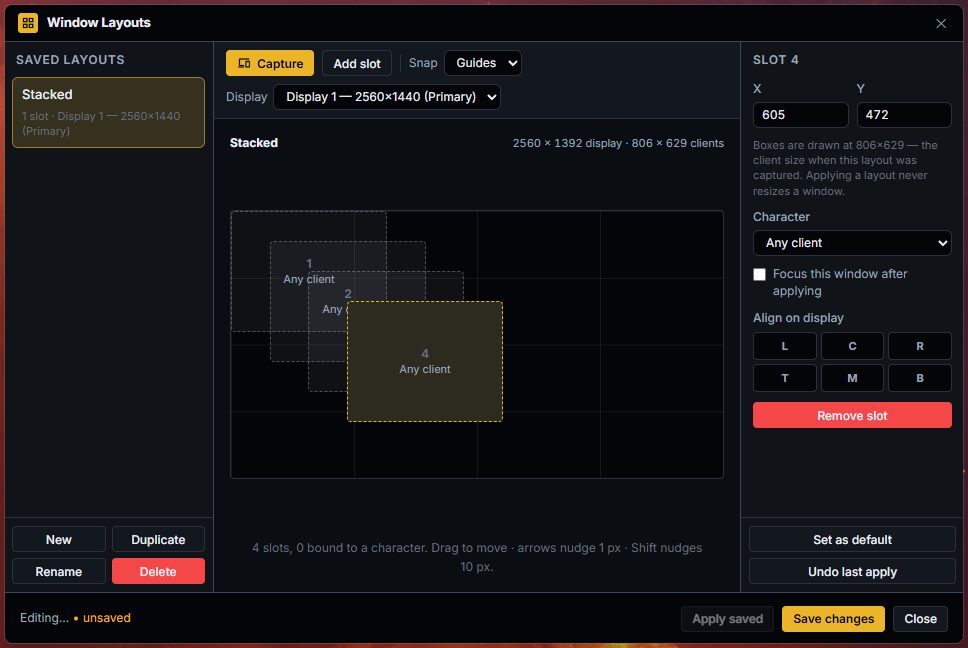
Window Layouts — Layout editor for multi-client arrangements 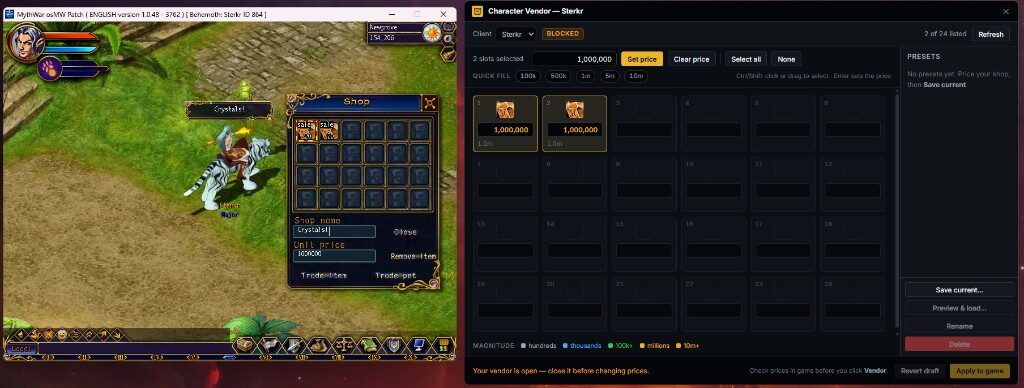
Character Vendor — Easy price management 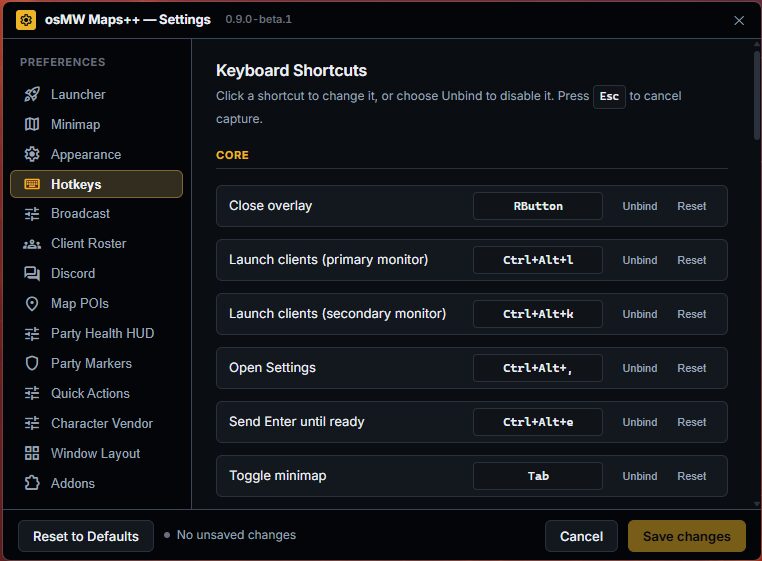
Settings — Fully customizable hotkeys and settings 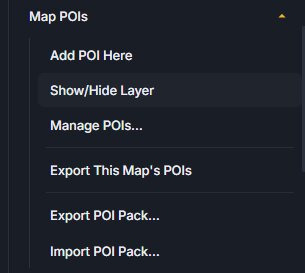
Map POIs — Add, search, and show/hide POI layers 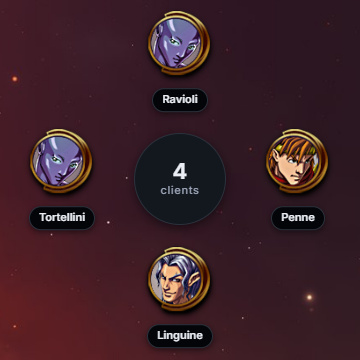
Client Roster — Quick switch between open clients 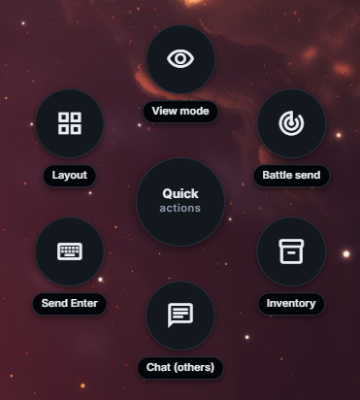
Quick Actions — Customizable quick actions 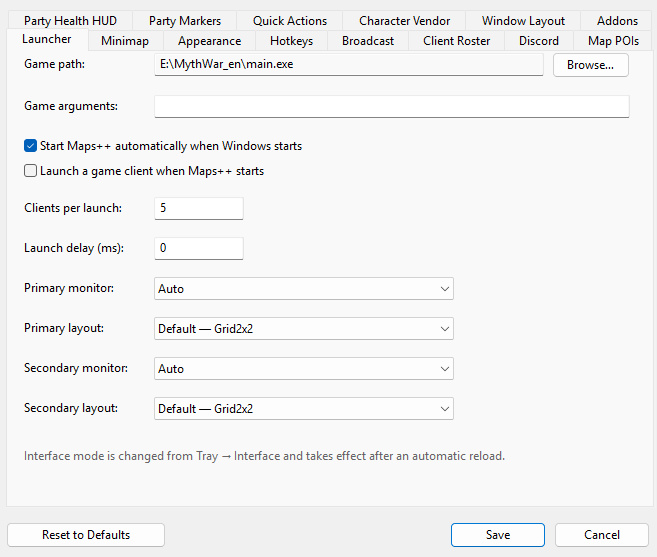
Interface Switch — Switch between classic and new interface 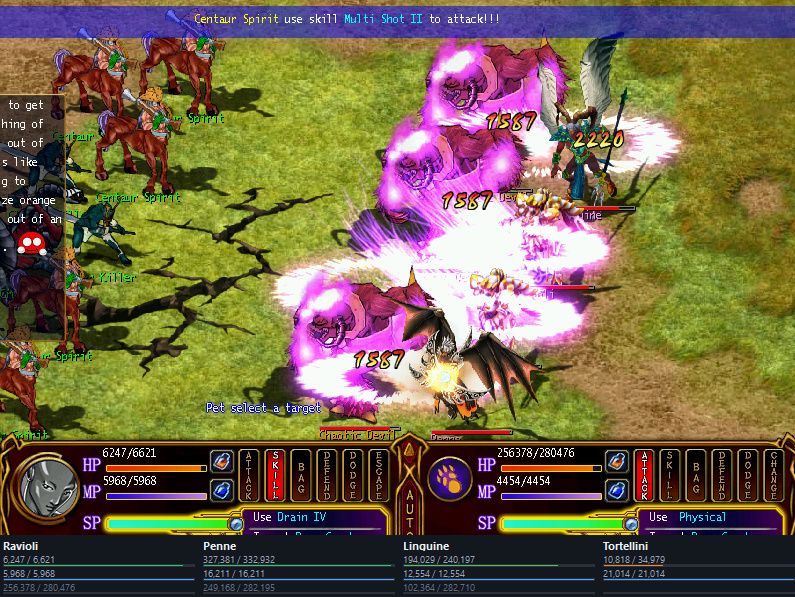
Stat Peak — Check allies stats quickly
How to install Maps++
- Install Myth War Online and osMW — Download and install the Myth War Online game client, then run the osMW installer from the download page. Maps++ expects a working osMW client.
- Download Maps++ — Download the Maps++ installer from this page. Windows only.
- Run the installer — Run the Maps++ installer and follow the prompts. Close the game client while installing if the wizard asks you to.
- Launch alongside the client — Start Myth War Online, then open Maps++. Use Settings to bind hotkeys, capture window layouts, and turn on the overlays you want.
Need the game client first? Visit the Myth War Online download page.
Changelog
v1.0.0
Initial release
- Map POIs: add, search, show/hide layers, export and import packs
- Better Hotkeys: per-character bindings and class skill ranks
- Window Layouts: capture, snap, and apply multi-client arrangements
- Character Vendor: quick-fill prices and vendor presets
- Party Health HUD, party markers, and minimap toggle
- Launcher, client roster, Discord hooks, and keyboard shortcuts